> For the complete documentation index, see [llms.txt](https://tgqf.gitbook.io/tg-zhu-shou-wen-dang/llms.txt). Markdown versions of documentation pages are available by appending `.md` to page URLs; this page is available as [Markdown](https://tgqf.gitbook.io/tg-zhu-shou-wen-dang/windows-defender-sha-du-ruan-jian-wu-bao.md).

# Windows Defender杀毒软件误报

### 由于TG助手采用国产开发语言:**易语言**进行产品研发,部分的杀毒会直接将易语言编译的程序特征直接认定为有威胁，例如Defender因版本不同会认定威胁对程序进行干扰以及删除，遇到问题可参考下面！ <a href="#id-1315_1" id="id-1315_1"></a>

## 解决办法1：推荐安装火绒杀毒后就可以正常使用

[www.huorong.cn](https://huorong.cn/person5.html)（杀毒软件会覆盖Windows Defender优先起作用）

## 解决办法2：Windows Defender杀毒软件误报处理方式

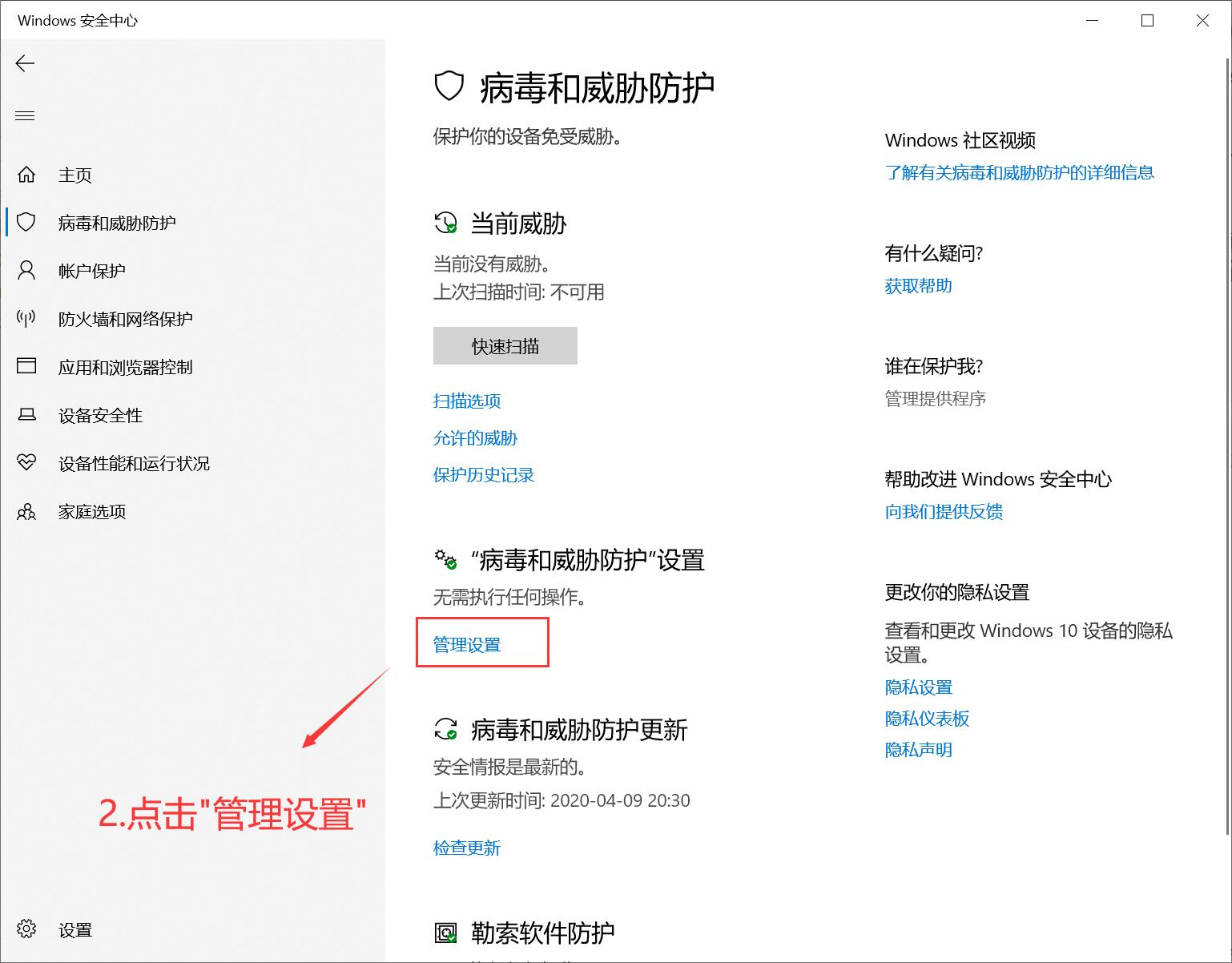
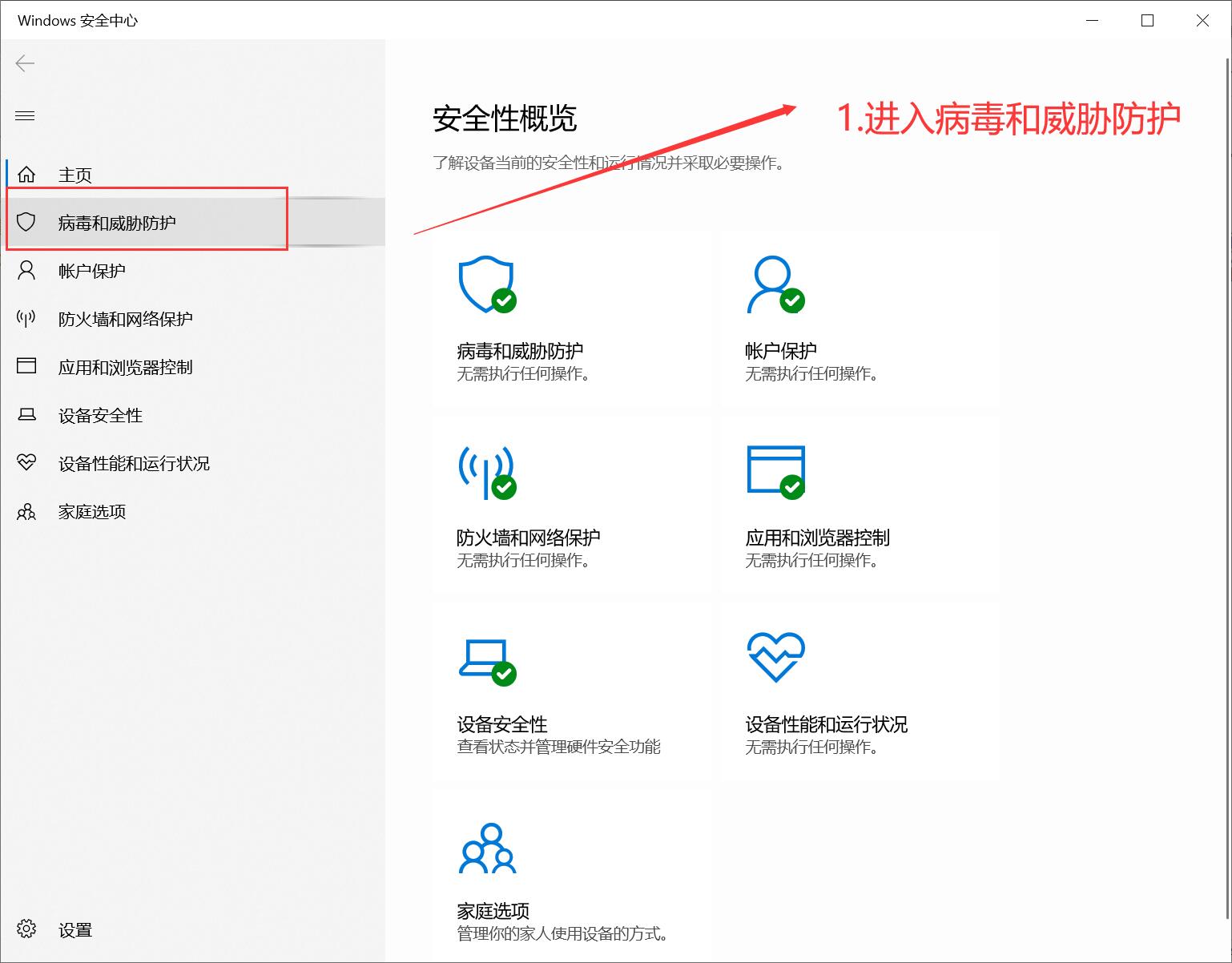
### 1.双击电脑右下角盾牌图标,进入Windows安全中心 <a href="#id-2windows_2" id="id-2windows_2"></a>
![](https://img.kancloud.cn/83/04/83040796d620cb0a7f06dff71bf35aec_1538x1202.jpg)

### 2.进入病毒和威胁防护 <a href="#id-3_4" id="id-3_4"></a>

![](https://img.kancloud.cn/25/91/259163ea46109625f5786b78ae08ef04_1538x1202.jpg)

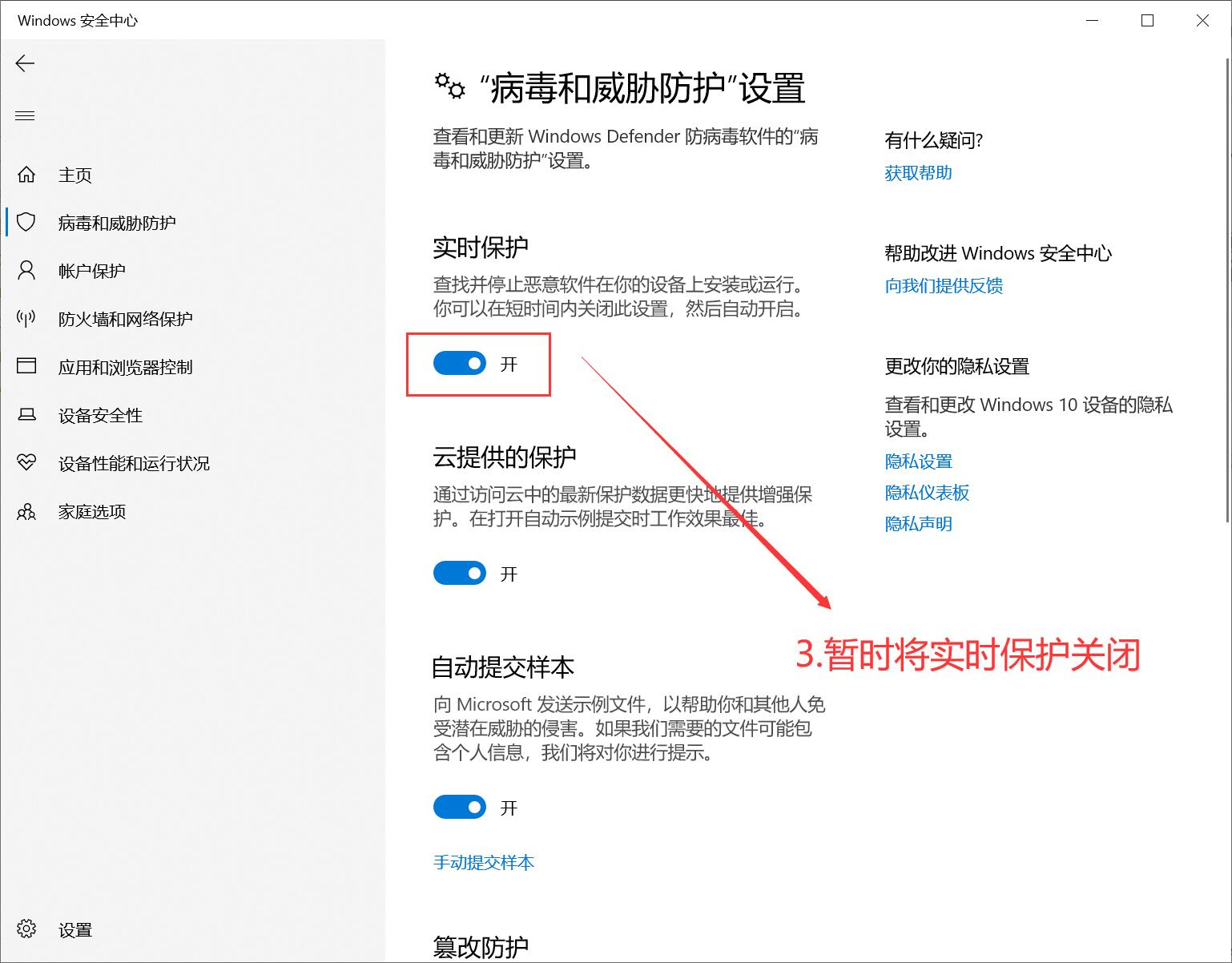
### 3.暂时将实时保护关闭 <a href="#id-4_6" id="id-4_6"></a>

![](https://img.kancloud.cn/df/f2/dff2d8957f67a85c4af5b49e1d75671f_1538x1202.jpg)

***

### 4.请重新从频道下载到电脑 <a href="#id-5_9" id="id-5_9"></a>

***

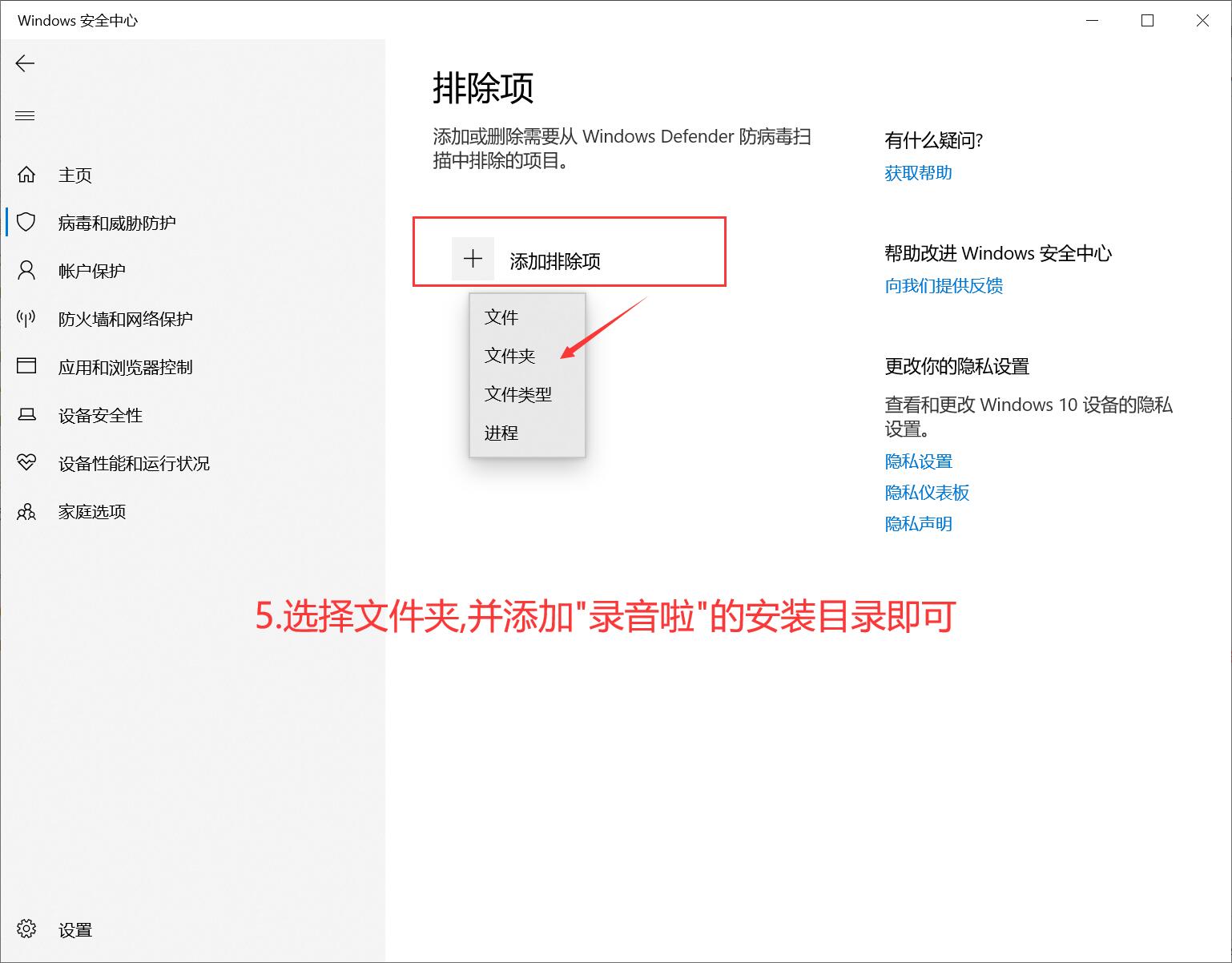
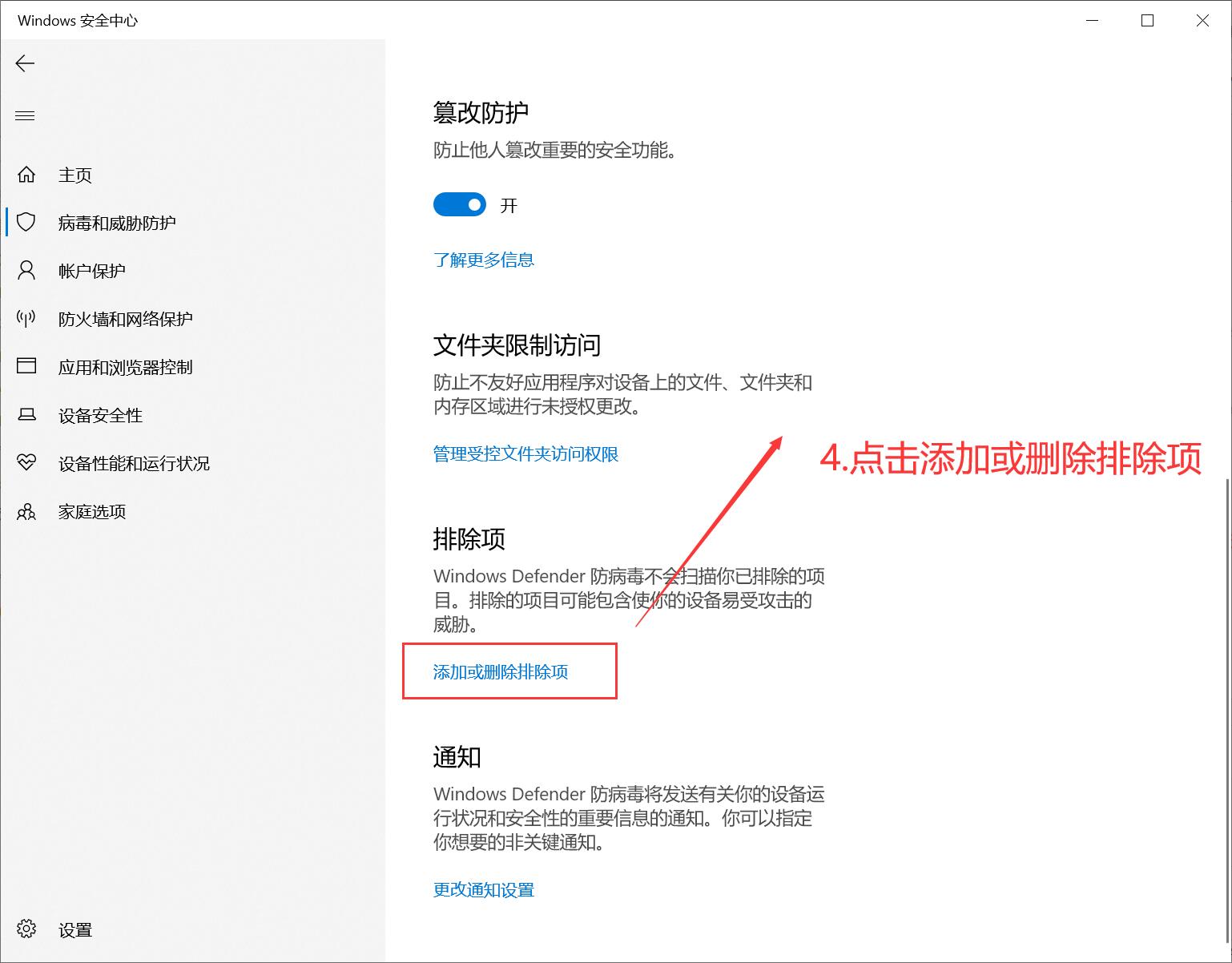
### 5.移动到下方,找到**排除项**并点击**添加或删除排除项** <a href="#id-6_12" id="id-6_12"></a>
![](https://img.kancloud.cn/41/d9/41d9a02bb3f0aea9f2d32e30d1de3e76_1538x1202.jpg)

### 6.请点击**添加排除项**,并且选择**文件夹** <a href="#id-7_14" id="id-7_14"></a>

![](https://img.kancloud.cn/94/46/9446d810abe107db216e1d096c816a13_1538x1202.jpg)

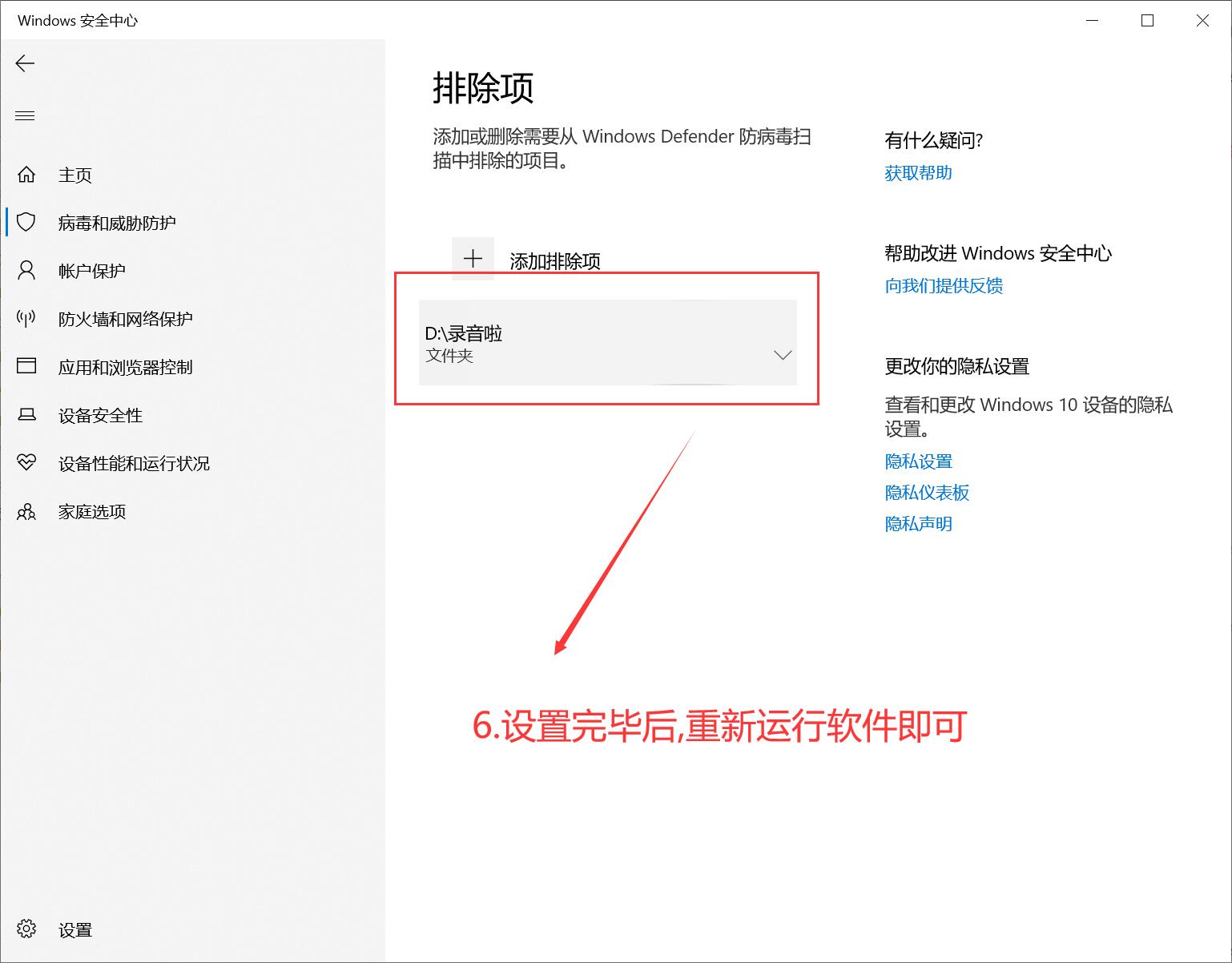
### 7.添加完成后,**录音啦**软件可以正常工作 <a href="#id-8_16" id="id-8_16"></a>

![](https://img.kancloud.cn/40/c8/40c8dbffebd975d3b50d82cdb7f595bb_1538x1202.jpg)