> For the complete documentation index, see [llms.txt](https://tgqf.gitbook.io/tg-zhu-shou-wen-dang/llms.txt). Markdown versions of documentation pages are available by appending `.md` to page URLs; this page is available as [Markdown](https://tgqf.gitbook.io/tg-zhu-shou-wen-dang/guo-wai-yong-hu-luan-ma-jie-jue-fang-shi.md).

# 国外用户乱码解决方式

1.由于软件暂不支持unicode编码,如Windows系统是英文等非中文简体版本,需要修改区域,乱码才可以正常恢复显示\
2.以**Windows10操作系统为例**教大家如何设置区域语言

### 第一步.打开**我的电脑**,并且点击**打开设置**按钮 <a href="#id-3" id="id-3"></a>
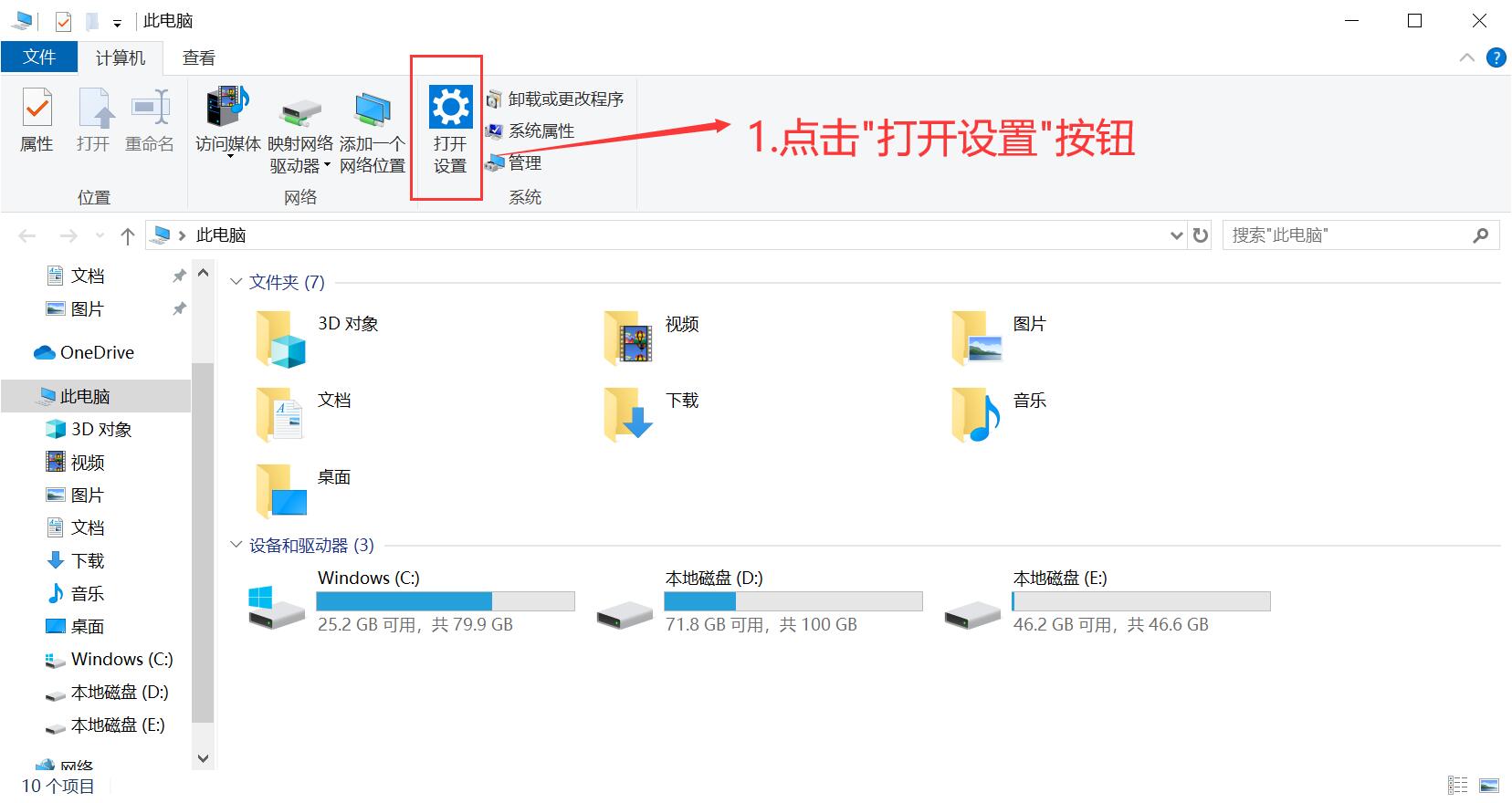
![](https://img.kancloud.cn/70/82/70825ade837a546c8d34ea9f9286fb35_1656x880.jpg)

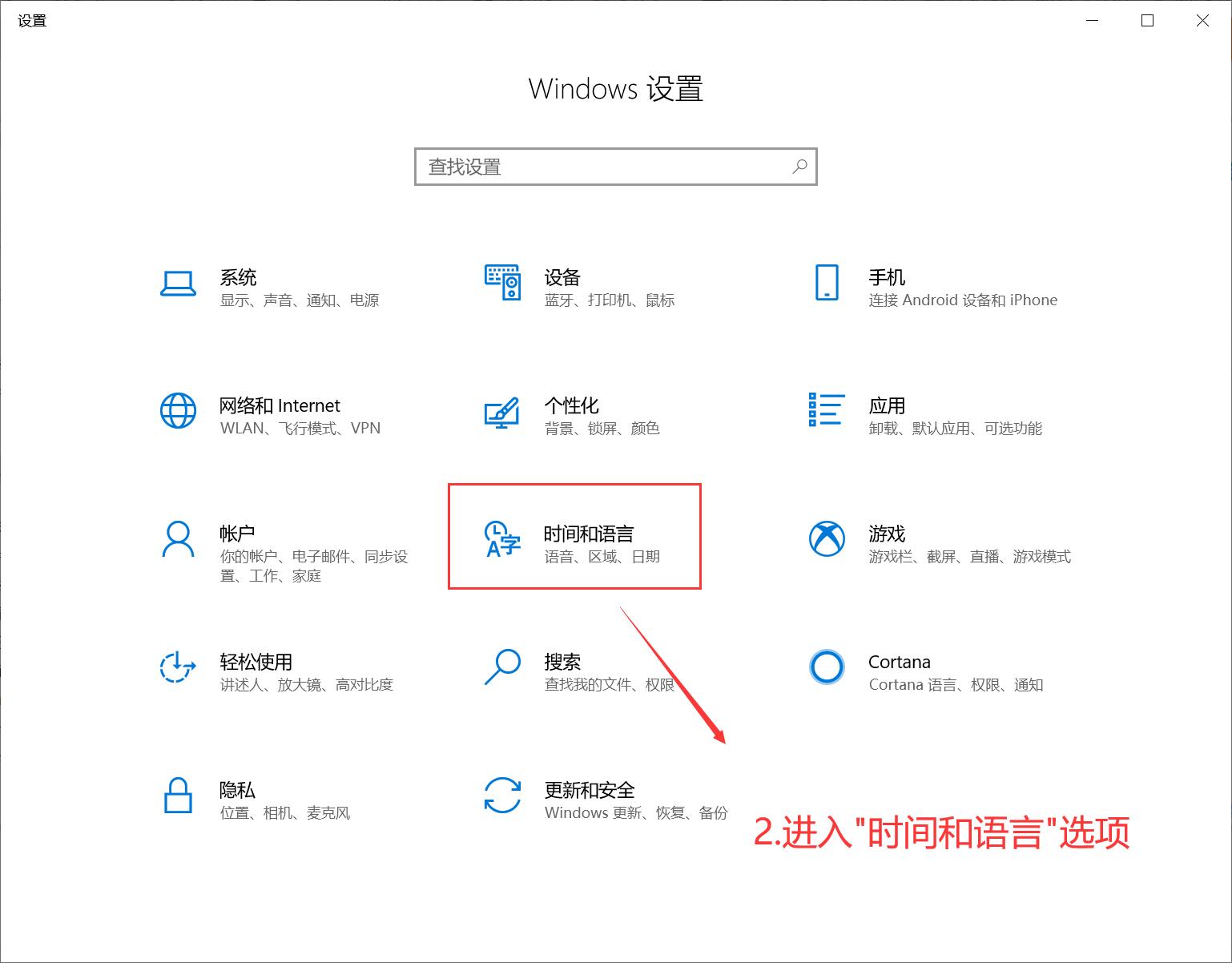
### 第二步.进入**时间和语言**选项 <a href="#id-5" id="id-5"></a>

![](https://img.kancloud.cn/05/23/05231b1fb9ebd802eef413371456b639_1538x1202.jpg)

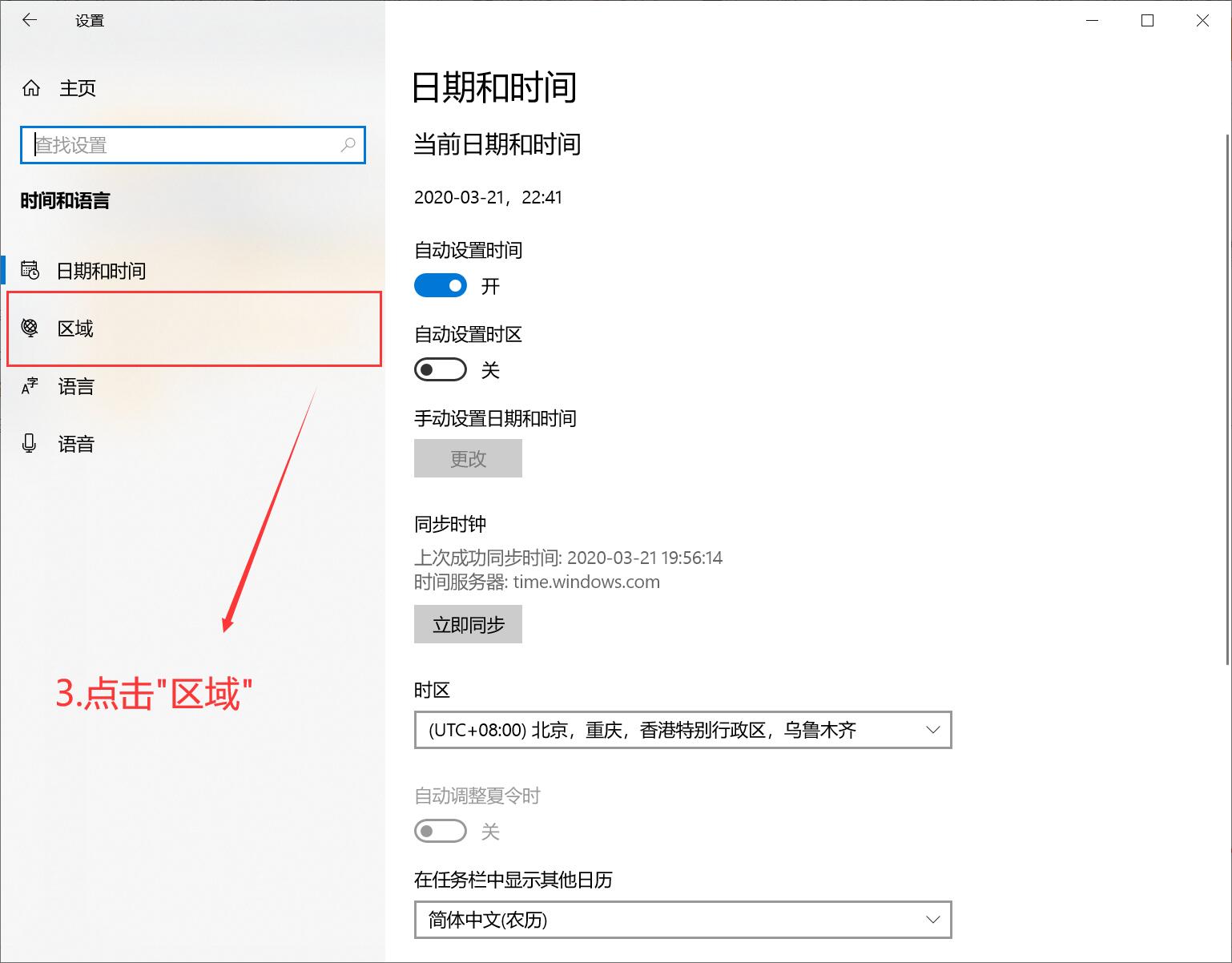
### 第三步.点击**区域** <a href="#id-7" id="id-7"></a>

![](https://img.kancloud.cn/fe/77/fe778fe661d5bff3b4554bc352db83c1_1538x1202.jpg)

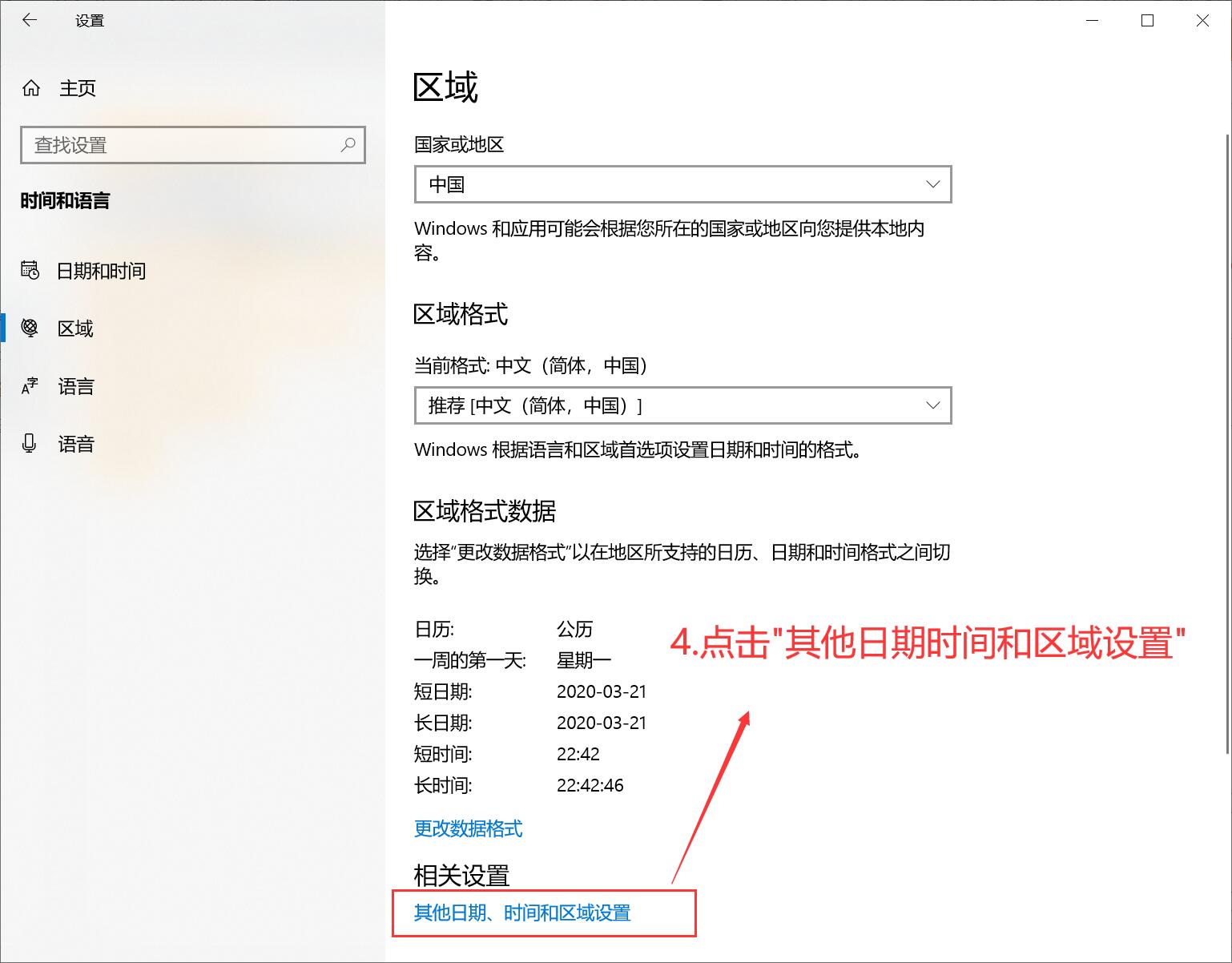
### 第四步.点击**其他日期时间和区域设置** <a href="#id-9" id="id-9"></a>

![](https://img.kancloud.cn/d3/a5/d3a586108e0b73ab3b7ce8f6219cc333_1538x1202.jpg)

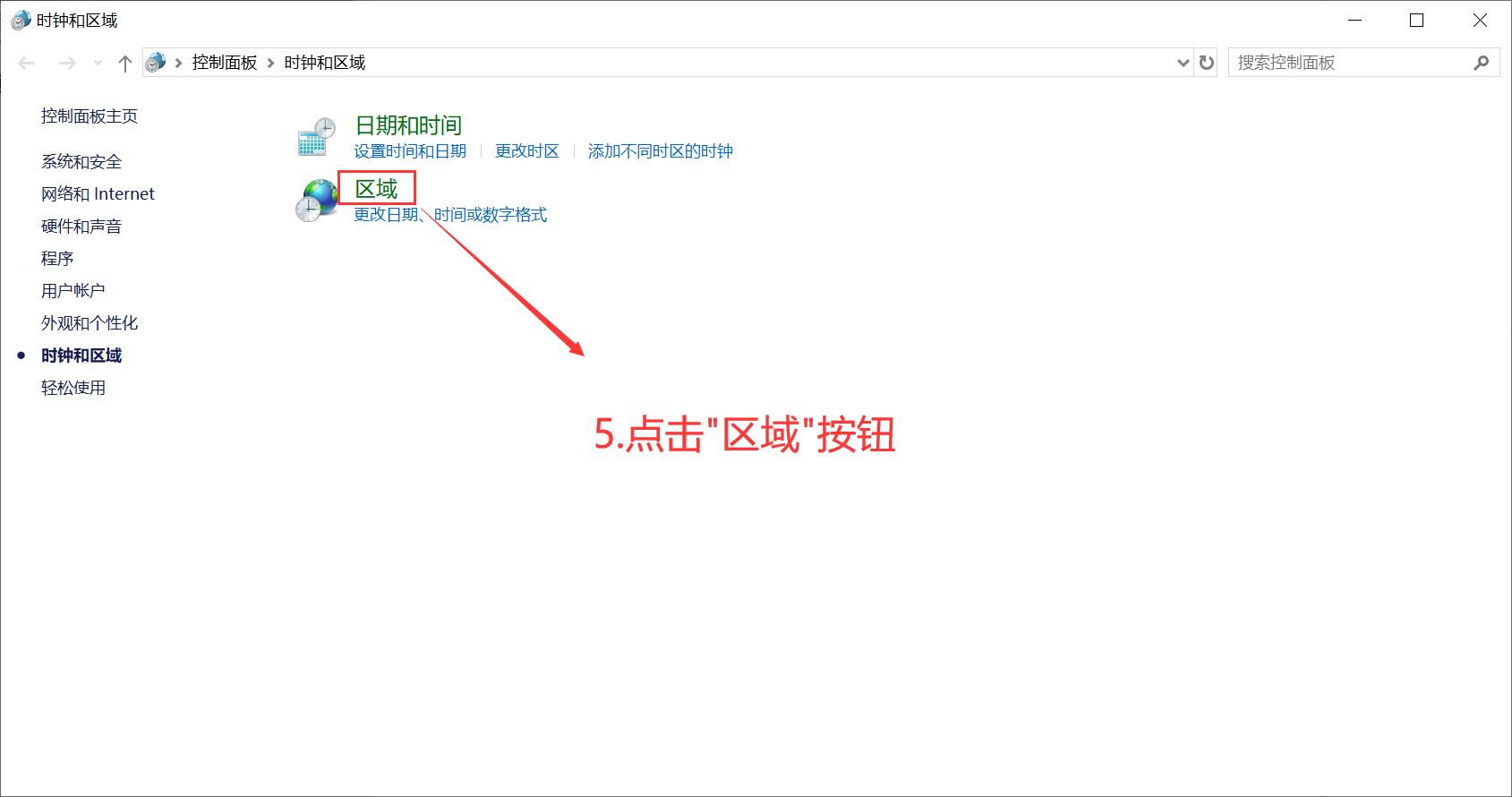
### 第五步.点击**区域**按钮 <a href="#id-11" id="id-11"></a>

![](https://img.kancloud.cn/24/08/2408f84070474006f7fbc11b4d0c84b0_1689x890.jpg)

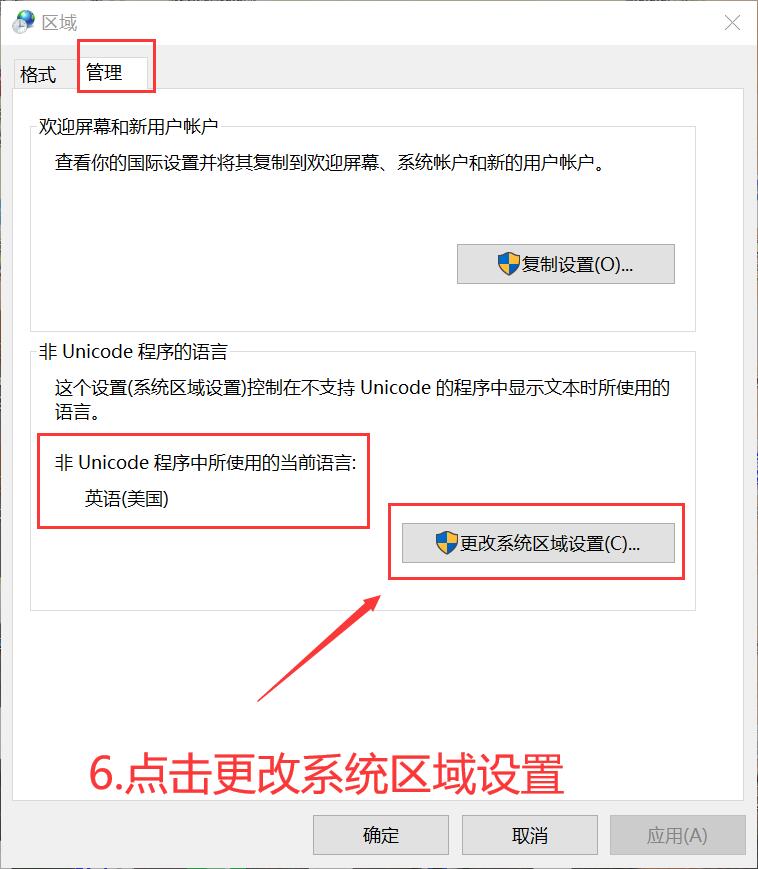
### 第六步.点击**管理**,点击**更改系统区域设置** <a href="#id-13" id="id-13"></a>

![](https://img.kancloud.cn/20/cd/20cd672c97a899c766851a114a91e4ab_758x869.jpg)

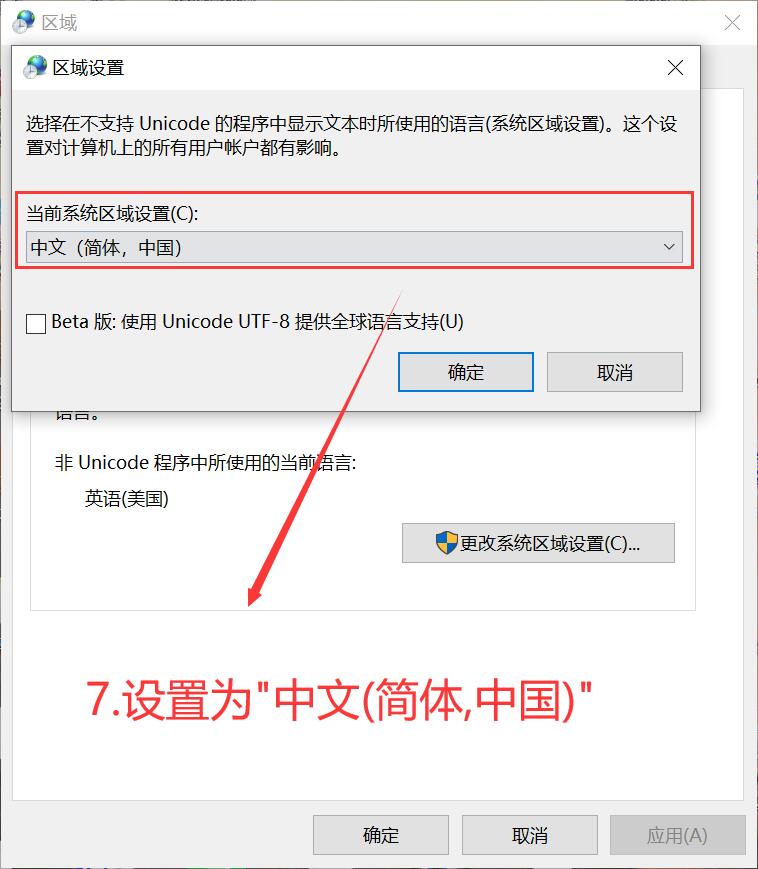
### 第七步.设置**中文(简体,中国)并且点击确定**按钮 <a href="#id-15" id="id-15"></a>

![](https://img.kancloud.cn/d7/41/d741f94dd036db613ce0ef444e3ed986_758x869.jpg)

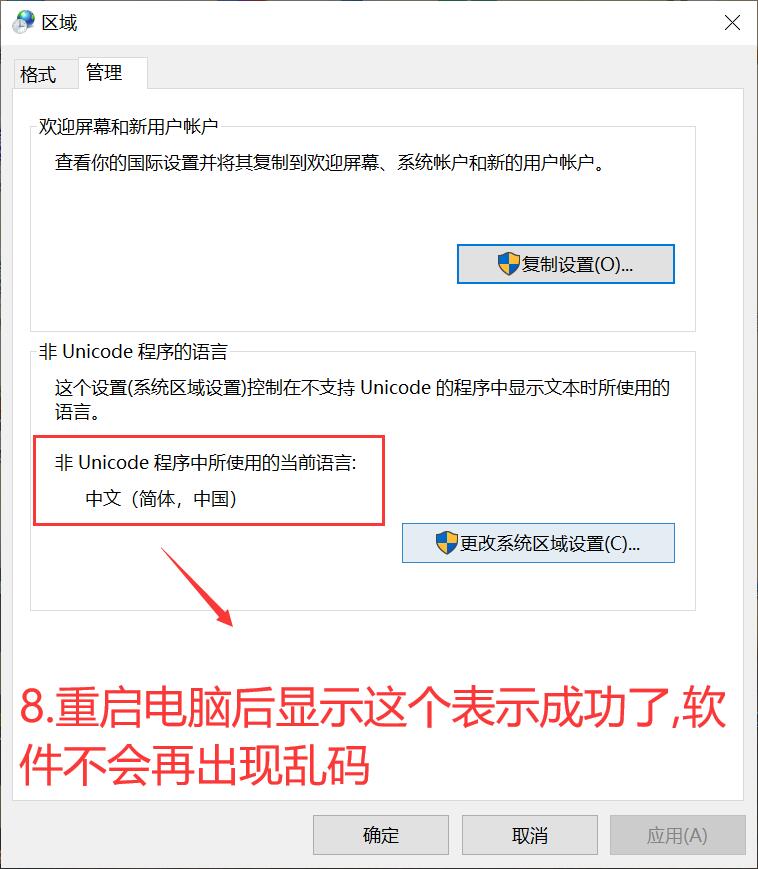
### 第八步.重启电脑,以便计算机更新配置 <a href="#id-17" id="id-17"></a>

![](https://img.kancloud.cn/e6/3f/e63f39eb16e06743f143db09c8a19be2_758x869.jpg)